Table of Content
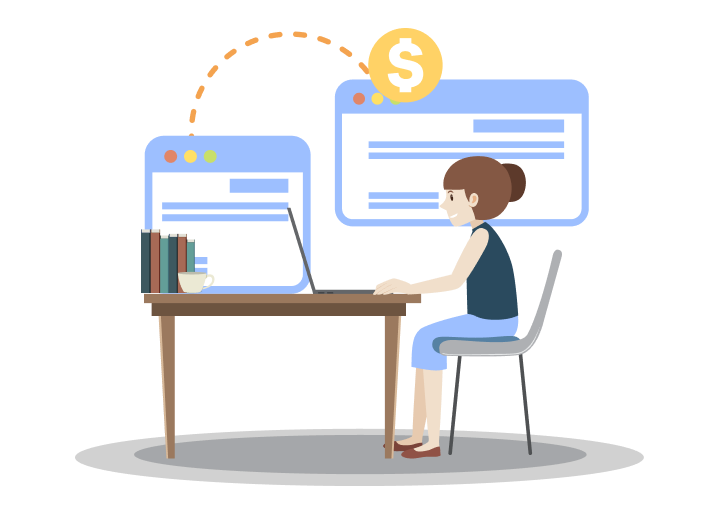
Are you planning a website migration but worried about the cost? Website migration is an essential service that has multiple aspects. From upgrading the hosting platform to redesigning your website, etc., all such factors affect the overall website migration cost.
If you need help in drafting a well-thought-out budget for website migration, then you have landed on the right page. We prepared this guide to help you create a clear budget for migrating your website.
We will break down the costs of website migration by discussing the various steps involved in the process.
The migration process consists of selecting the platform, designing, content migration, and post-launch maintenance. The actual migration cost depends on the quality and intensity of these processes.
Without wasting any time, let us learn how you can effectively create a budget and avoid roadblocks during the migration process.
" What should be the correct website migration cost?
Website migration cost is determined by different things, which is why quoting a single amount is difficult. However, by understanding the factors mentioned in this blog, you can create a solid budget for website migration."
What Is Website Migration and Why Does It Matter?
Website migration is the process of transferring a website from one hosting plan, CMS or platform to another. As easy as this sounds, the entire migration process is complicated and requires expert assistance.
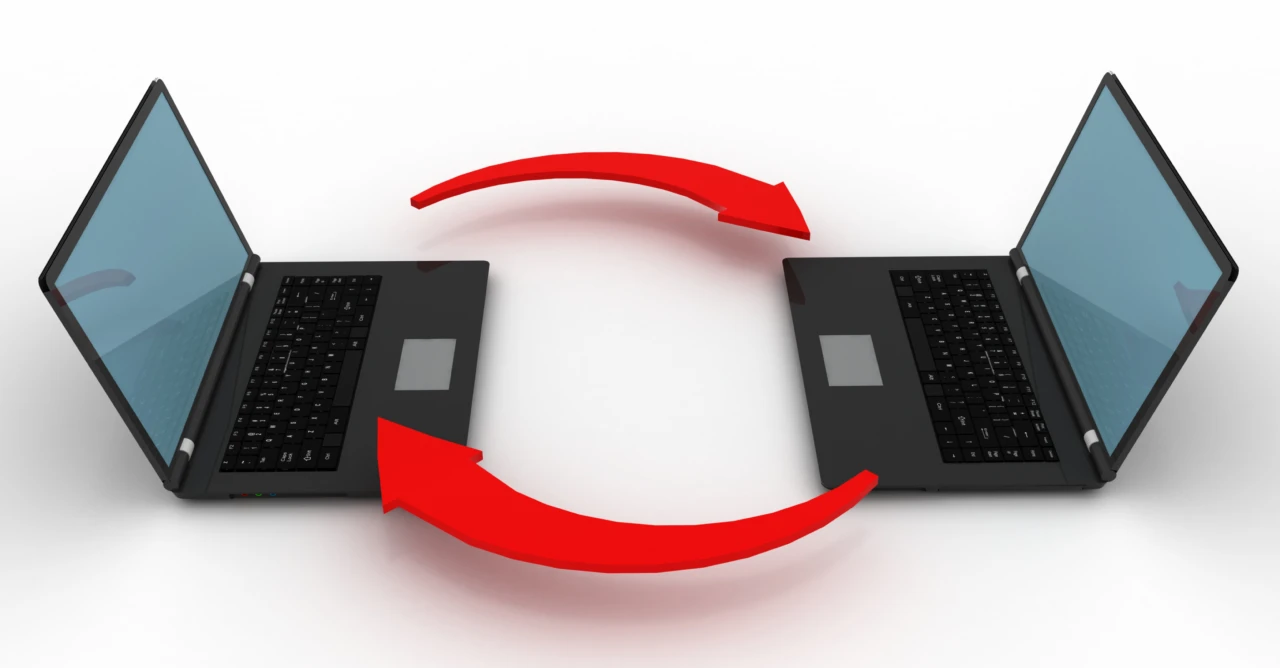
It includes redirecting your old webpages to the new hosting domain, maintaining the SEO rankings and online engagement, ensuring smooth data migration, and sometimes even redesigning your website.
For carrying out this tremendous task, you need help from website migration experts like developers, SEO analysts, coders, and designers.
Leading website migration agencies like PSDtoHTMLNinja assist you with a dedicated team of experts who help you with planning and migrating the website.
Here is why website migration matters today:
#1. Business Scaling
Not all hosting platforms support large business requirements, and no business remains static. Shifting to an environment that handles your growing business is the wise choice, as it leads to a properly functioning large-scale website.
#2. Better Technology
The tech world constantly evolves, and so should your website. A site built on an outdated hosting platform or version delivers poor performance, affecting the online engagement.
When you invest in a website migration service, you ensure that all webpages deliver the optimum performance.
#3. Higher Search Engine Rankings
Transferring your website also includes redesigning and reworking different aspects, like SEO friendliness. During this process, the experts rebuild your site structure for improved SEO rankings and higher traffic.
#4. Smooth User Experience
Migration often includes revamping and optimizing the website design and functionality. This helps in enhancing the user experience and allows the audience to smoothly navigate through the website.
#5. Stronger Security
Once your existing hosting platform becomes outdated, the security threats increase. Migrating to a new and secure environment not only guarantees security but also safeguards user data from cyber threats.
Average Website Migration Cost
A small-scale website migration or a simple platform switch (Shopify to WordPress, Joomla to WordPress, etc.) can cost somewhere between $500 and $5000. While a full website redesign ranges between $3,000 and $15,000.

The cost of migrating a website fluctuates depending on the market trends and other additional factors:
1. Type of migration
Whether you are migrating the hosting platform or the entire ecosystem.
2. Number of webpages
The total number of pages in your website affects the migration cost. Migrating the complete website will cost more than the migration of a few webpages because each page needs to be individually reviewed and migrated.
3. Complexity of the website
When it comes to your website, the more intricate it is, the more effort is required for migration.
If your site has databases, APIs, or a unique design framework, expect to invest extra time in customization and testing to make sure everything runs smoothly after the move.
4. Deadlines and team size
A tight deadline combined with limited resources can really impact the cost and strategy of your migration.
Having a larger, skilled team with a flexible timeline can help ensure a smooth transition, while urgent projects might need extra resources or faster services to hit that launch date.
Detailed Website Migration Service Cost Breakdown
In this section, we have added a detailed breakdown of the website migration service cost. The information will give you a fair idea of how the costing will incur at each step.
Hosting Solution and Platform Costs
Hosting Platform
There are numerous hosting service providers, and your choice will affect the overall pricing. The decision will greatly impact your website migration cost, so let us check out the costing list of multiple hosting platforms:
- WordPress: WordPress itself is free, but it doesn’t include hosting. You’ll need a separate hosting plan, typically costing $50–$300 per year. Premium themes may cost $50–$200. If you need custom features or redesign work, hiring a WordPress developer usually costs $500–$5,000, depending on complexity.
- Shopify: Shopify subscription ranges from $39 per month for basic features to $399 per month for advanced hosting options. You also pay an additional $100 to $300 for custom themes and extensions.
- Custom CMS: A custom CMS development adds extra expenses to your website migration budget. Depending on your website’s complexity and size, the cost can range between $1,000 to $5,000.
Type of Hosting
Now comes the kind of hosting you choose, i.e, whether you need professional assistance or want to try something yourself.
- Shared Hosting: This option is meant only for simple and small-sized websites, and usually beginner-level businesses with a limited budget go for it. It can cost $3 - $15.
- Dedicated Hosting: Dedicated hosting services are provided by big platforms that offer high-end resources like storage, bandwidth, etc. Examples include GoDaddy, HostGator, SiteGround, etc. The cost can vary from $100 to over $500.
- Platform-based Hosting: Platforms like WordPress and Shopify offer hosting services and are priced at $30 to $300+ per month.
Choosing the right platform and hosting solution is not just about snagging the cheapest deal; it is really about finding what works best for you. A platform and hosting plan that fits your needs can actually save you money over time by cutting down on those expensive upgrades or fixes that might pop up later.
Design and Development Costs
Once your hosting and platform are sorted, the next step is shaping the look and functionality of your new site. Whether you’re updating the design or adding custom features, web development costs can vary widely depending on the approach you choose. These elements play a big role in determining your overall migration budget.
1. Design Costing
Themes & Templates: Opting for pre-designed themes is a budget-friendly way to create your website, with prices ranging from free to about $200 for premium choices on platforms like WordPress or Shopify.
But if you’re looking for something truly unique, a fully custom website design can set you back anywhere from $1,000 to over $10,000, depending on how complex and tailored you want it to be.
Logo & other Assets: When it comes to designing a new logo or completely revamping your brand, costs can vary widely based on who you choose to work with.
Freelancers typically charge between $100 and $1,500, while professional branding agencies might ask for anywhere from $2,000 to more than $10,000 for all-inclusive brand identity packages.
2. Development Costs
Simple Website Development: You can try a DIY approach by using drag-and-drop builders or customizing a template. The cost can vary between $5 and $500, in case you do the website development work yourself.
Custom Website Development: Customizing the website means higher costs because it requires professional support. Advanced functionalities like eCommerce integration, booking portals, etc., require additional development work and cost about $100 to $2000.
Complete custom website development can cost between $5,000 and $10,000 if you are building the website from scratch by hiring a dedicated developer.
3. Development Type
Hire a Dedicated Agency: This option is the most thorough but also the priciest, perfect for businesses that want a professional touch.
Web development agencies typically charge between $1,000 and $50,000 or more for complete projects, with ongoing maintenance or support services costing anywhere from $500 to $5,000 each month.
DIY Approach: If you are tech-savvy, this is definitely the most wallet-friendly route, but be prepared to invest a good chunk of your time.
You might find yourself spending anywhere from $0 to $500, mainly on premium themes, plugins, or essential tools to boost your site's functionality.
Hire Freelancers: Going with freelancers gives you a lot of flexibility and a personal touch. Their hourly rates usually fall between $20 and $150, depending on their expertise and location.
If you want a freelancer to build your entire website, expect to pay anywhere from $1,000 to over $10,000.
Content Migration & SEO Fixes
Transferring the content is the toughest and most important part of website migration. One wrong move and all your data goes in vain. This is why it is essential to handle the data with care and precision.
Let us see what costs are involved here:
Manual Content Migration: The process requires you to manually copy and paste all the data, which is a cumbersome task. You can do it yourself, which will not cost you anything, but the chances of error and data loss increase.
Hiring a website migration company is ideal since they transfer your data with expertise. For small websites or single pages, you have to pay about $25 to $500.
But manually migrating content on larger websites with multiple pages can cost around $500 to $5000.
Plugin-based Migration: Automated tools and plugins speed up the migration process and do not require manual intervention.
You can use free plugins, but they come with limited features. Some extensions need to be separately installed for platforms like WordPress and Shopify.
These tools can range from $50 to $2500, based on your requirements and website complexity.
Now comes the SEO part; content migration is not all about copying and pasting the content from one platform to another, it also includes retaining your current SEO rankings.
If anything goes wrong, all your SEO ranks and website traffic will be gone. It is best to opt for additional SEO preservation services for website migration to avoid future regrets.
URL Structuring & 301 Redirects: A 301 redirect becomes crucial when your migrated website’s URL changes. This service costs between $300 and $3,000 since it involves experts handling and fixing the URL structure.
Content & Image Optimization: For websites with old and outdated content, website migration is a perfect time to match the steps of the constantly changing SEO world.
This includes updating the content with new and relevant keywords, rewriting meta descriptions and tags, and optimizing images for a faster website loading speed. Hiring an SEO agency can range from $50 to $500 per page.
SEO Analysis: Implementing SEO audits twice during the website migration process identifies issues like broken links and missing data. A simple SEO audit can cost you about $200-$1000, while a large and complicated website’s SEO audit is costlier, $1000-$5000.
SEO fixes and content migration can weigh heavily on your pocket, but adding these services to your budget plays a key role in ensuring error-free website migration. Ultimately, it is still less expensive than recovering the lost traffic and SEO rankings later.
Key Factors That Affect Website Migration Cost
Apart from the aspects discussed in the previous section, certain additional factors influence the migration cost of your website.
One can’t ignore these costing factors as they are crucial for a 100% successful site migration.

Let us have a look:
✔️ Website Pages
The total number of webpages to be migrated is a key factor affecting the overall budget. The fewer the number of pages, the lower the migration cost.
But as the number of pages grows, so does the effort, time, and cost involved, since each page needs to be transferred, tested, and optimized on its own.
✔️ Website Content
Are you looking to migrate everything as is, or just specific sections? The amount and type of content will directly influence the migration costs.
Websites packed with content, like those featuring blogs, product listings, or multimedia elements, require extra care to keep everything structured, SEO-friendly, and consistent in formatting.
✔️ CMS Type
The complexity of your CMS is a big player in determining the overall cost. If you are migrating between similar systems, like WordPress to WordPress, it is usually a straightforward process.
However, if you are switching from one platform to a completely different one, you will need more configuration, testing, and expertise, which can add to the cost.
✔️ Website Migration Expert
Hiring a website migration expert can make a world of difference. An experienced specialist or a website migration company will ensure your site is moved smoothly, without any downtime or data loss.
While their fees depend on their expertise and the complexity of your project, their help can save you from costly mistakes, broken links, and drops in SEO rankings, making it a smart investment.
✔️ Design Customization
If you are thinking about refreshing or redesigning your website during the migration, be prepared for the costs to go up.
Custom design work includes new layouts, interactive features, or responsive tweaks, and these will require more design and development hours. But the payoff is worth it, as it gives your site a fresh, polished look that aligns perfectly with your brand identity.
Hidden Costs You Shouldn’t Ignore
There always lies some difference between budget planning and execution. Some last-minute requirements in migration alter your budget. It is best to be aware of these hidden costs so your actual migration cost does not come as a shock to you.
Extensions and Third-party App Licenses
Certain applications and plugins run on premium models, which can add to your overall website migration budget. They often come with monthly or yearly subscription fees:
- Premium functionality-related apps: $50 - $500 per year
- Ecommerce extensions: $100 - $1000 per year
Third-party Integrations
If your website uses advanced analytics tools, payment gateways, and other third-party services, then their cost should be checked and included in the budget.
- Reintegration of third-party services: $100 to $2,000
- API reconfiguration or customization: $500 to $5,000
Customization Costs
For websites built on free themes, you might still need custom coding for added functionality, features, and optimized performance.
- Basic customizations: $100 to $500.
- Moderate edits (code edit, custom forms, graphics): $500 to $5000
- Advanced edits: $5000 onwards
Domain and SSL Renewal Fees
You pay additional costs for the domain change and new SSL certificates. The cost for these elements depends on your existing plan:
- Domain renewal: $10 to $50 per annum
- Fresh domain name: $10 to $500
- SSL certificate: free to $500 per annum
Post-launch Support and Fixes
Some renowned website migration agencies include the post-maintenance costs in their service fees, while some charge for it separately. Make sure to clarify this while hiring a migration expert:
Minor edits: $100 to $1000
Major changes or website redesign cost: $2000 to $10,000, depending on the customization.
You can create an accurate budget by keeping these hidden costs in mind. However, certain sudden expenses may still emerge since it’s not easy to predict every cost factor.
How to Reduce Website Migration Cost
The best way to keep the website migration cost within the budget is by listing down your requirements. For that, you need to have a thorough idea of your existing website and a roadmap for the new one.
Here are some tips that help you limit the overall cost:
1️⃣ Determine the Migration Objective
Why do you want to migrate the website? What changes do you want? Does it include a single-page migration or the entire website?
With this crucial information, you can include only the required changes and avoid an overflowing budget.
2️⃣ Analyze your Existing Website
Check whether the existing content on your website is good enough. Run SEO and performance checks. Additional optimization will not be required if the website delivers optimum performance.
3️⃣ Create Backups
Create multiple backups of your files before beginning the migration process. This saves you from the hefty money that will be spent to recovering the lost data.
Why Choose PSDtoHTMLNinja as Your Website Migration Company
Though you can migrate the website yourself, hiring website migration experts gives time-efficient and error-free results. We at PSDtoHTMLNinja take pride in being a leading website migration and redesign company.
Throughout our 13+ years of industry experience, we have completed over 2500 projects with a 98% delivery rate. Our dedicated migration team and access to cutting-edge resources make us a go-to migration partner.
Wondering what makes us different?
- Adequate planning
- A dedicated project manager
- Pocket-friendly migration services
- 24x7 support
If you want an expert company by your side, then feel free to contact our support team, and we’ll help you with a smooth migration of your website.
Conclusion
Website migration is a common step for businesses aiming to improve performance, scale efficiently, reduce costs, and strengthen their online presence.
Although the migration process involves multiple technical steps, it doesn’t need to be overwhelming. With proper planning and the guidance of an experienced web development company like PSDtoHTMLNinja, you can transition your website safely and efficiently, ensuring everything functions smoothly from start to finish.

Frequently Asked Questions
1. What is included in a website migration service?
Full migration includes domain transfer, hosting setup, content migration, database transfer, URL redirects, performance testing, design adjustments, and SEO preservation.
2. How much does it cost to migrate a single-page website?
It typically costs between $200 and $1,500, depending on structure and functionality.
3. How do you maintain SEO rankings during migration?
We perform SEO audits, create redirect maps, preserve metadata, optimize URLs, and test pages to ensure rankings remain stable.

Prince Jadiya holds the position of Chief Marketing Officer at Psdtohtmlninja.com, where he assists organizations in overcoming web development obstacles. He is also known for him informative and engaging blog posts.
Couldn't find what you were looking for?
Let us know how we can help!

Related Blog Posts



Photoshop, Wordpress, Web Development
Step-by-Step Guide to Converting PSD to WordPress with Elementor