Table of Content
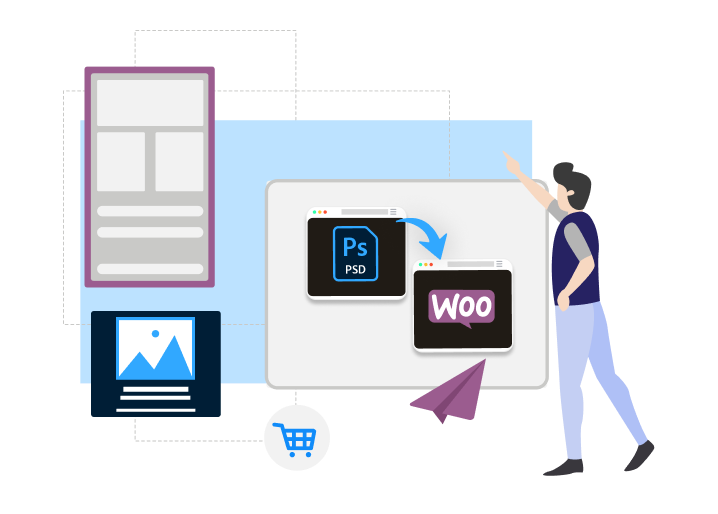
In this article, we’ll explain how you can convert your PSD into WooCommerce template. And not just PSDs—whether you have a rough idea, a workflow, or a custom design in mind, this guide will help you bring it to life as a powerful online store.
Honestly, you don’t need to be super technical for this. You don’t have to code everything yourself. You just need to understand how the process works. The design is already done—now it’s about getting that design online: clickable, scrollable, and functional.
You can either figure it out yourself or hire someone who knows how to do it right. Either way, it’s completely doable.
We’ll walk you through the important stuff—no complex jargon, no fluff. Just a clear path to turn your PSD into a WooCommerce store that actually sells.
Why Even Bother Converting PSD to WooCommerce?
Here’s the thing. You can buy a pre-made theme and call it a day. But if you already have a custom design, converting it gives you something better — a store that looks and feels like you, not everyone else.
1️⃣ It’s your design
What you see in that PSD? That’s what your website will look like. Same layout. Same color choices. No compromise. You don’t have to pick from five pre-set fonts or be stuck with stock layouts. It’s your store, not a template someone else used a hundred times.
2️⃣ You’re using solid tools
WooCommerce runs on WordPress. WordPress has been around forever. It’s not some new platform that will disappear in two years. It’s reliable, easy to manage, and works well with all kinds of plugins. You can add features as you go — no developer needed for every tiny thing.
3️⃣ Works on phones too
Let’s be honest. Most of your customers are going to visit from their phones. So whatever you build has to look good on smaller screens too. A proper PSD to WooCommerce development setup takes care of that — your layout adjusts, your buttons are tap-friendly, and nothing feels broken or zoomed out.
4️⃣ Grows with your business
The best part? You don’t outgrow it. As your product list expands or you start getting more traffic, WooCommerce keeps up. You can add things like email automation, new payment options, subscriptions — whatever the business needs. The foundation stays the same.
5️⃣ Before you begin
Don’t rush straight into development. Make sure your PSD is clean. Organize your layers, label stuff properly, and have all the key screens covered — homepage, product pages, cart, checkout, maybe a blog or about page if you need it.
If you’ve got mobile versions, great. If not, have a rough idea of how the layout should look on smaller screens. A little planning early on saves a lot of back-and-forth later.
Must Read: Top WooCommerce Development Companies in 2026
What We Actually Look At When Converting PSD to WooCommerce
Design is just the starting point. When we convert a PSD into a working WooCommerce theme, we don’t just code what’s in front of us and move on. We look deeper. A good store has to be functional, fast, secure, and flexible — and there are a lot of details to get right.
We ensure that your store is fast, secure, responsive, and scalable — aligning with our PSD to HTML best practices and front-end code standards.
Here’s what we always keep in mind during the build:
1. Responsive Design
People check sites on phones, tablets, all sorts of screen sizes. So we make sure the layout works across all of them. Not just squished — actually usable. Menus have to open easily. Buttons need to be easy to tap. Nothing should get cut off. If your PSD only shows the desktop version, we figure out what that should look like on mobile. It doesn’t matter how great it looks on a big screen if it’s a mess on a phone.
2. Speed Optimization
Slow websites lose people. If a product page takes too long to load, most visitors are gone before it finishes. We test the speed as we go — image sizes, code bloat, too many requests. We use tools like GTmetrix or WebPageTest sometimes, but also just check how it feels. You shouldn’t have to wait more than a couple seconds to see anything. If we find something dragging the page, we clean it up.
3. A/B Testing Ready
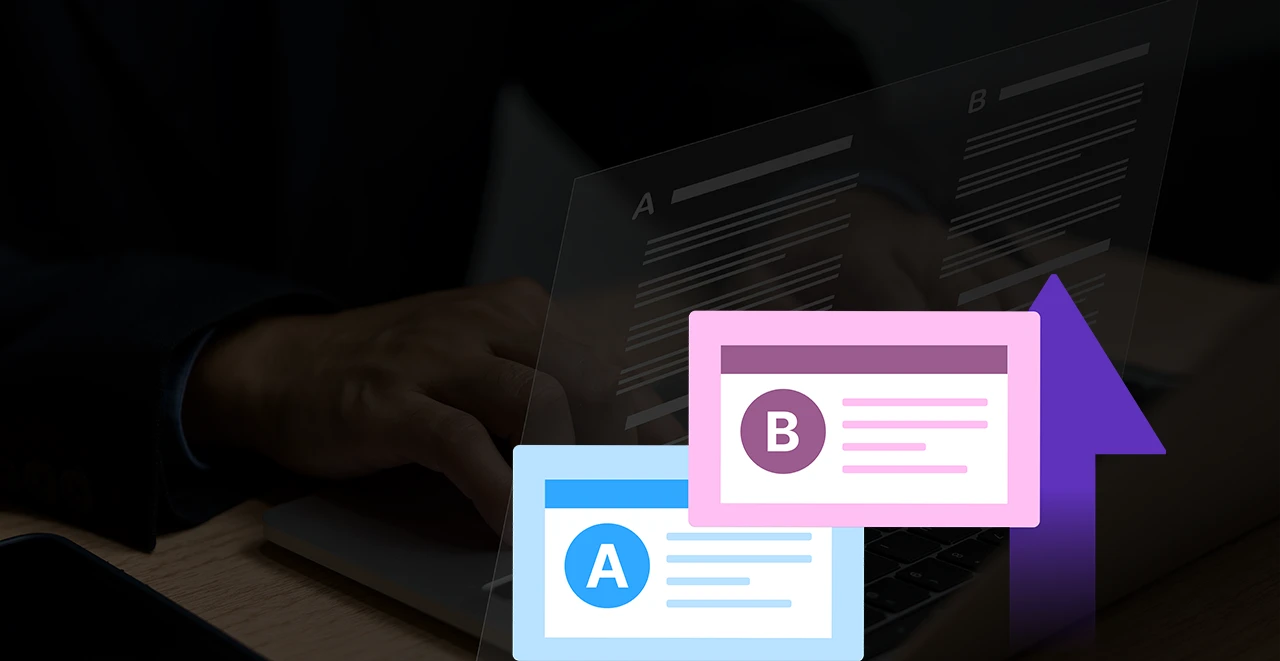
Designs aren’t always perfect on the first try. So we build things in a way where you can change pieces later and test what performs better. Maybe the headline. Maybe the layout. Could be the color of the “Add to Cart” button. We don’t set this up unless asked, but we leave space for it — nothing locked in too tight.
4. Customizability
Things change. Stores update. You might add a new section, remove something, or switch how a product grid looks. That’s why we don’t build everything fixed. We leave space in the code and layout so it’s easier to update later. If you want to add a new feature six months from now, it shouldn’t mean starting from zero. It’s easier to plan for flexibility upfront than to patch things later.
5. SEO Stuff
We don’t do magic SEO. But we do the basics right. Headings in the right order. Clean URLs. Structured data for products. Titles and meta descriptions where they belong. We also add Open Graph and Twitter card stuff if you want your product pages to look better when shared. If you use Yoast or something similar, we make sure it works with the theme.
6. Security
We don’t write sloppy code. Any form gets validated — both on the front end and back end. We sanitize inputs. Escape outputs. Things that sound boring but matter. If you’re taking orders and storing user info, the last thing you want is someone sneaking in through bad code. We also block common stuff like XSS or SQL injections wherever needed. It’s basic, but it’s solid.
7. GDPR
If you’re in Europe or selling there, you’ve got to follow the rules. We make sure cookie consent is set up. Forms don’t collect stuff they shouldn’t. If a user wants their data deleted, it should be easy to do. We don’t overcomplicate it. Just make sure your site isn’t violating privacy stuff without you knowing it.
8. Multilingual Setup
If you’re planning to sell in more than one language, the theme should be ready for it. That means nothing hardcoded. Every string should be translatable. If you’re using WPML or TranslatePress, it should just work. If your PSD is in one language but you tell us others are coming, we build with that in mind. You don’t want to rebuild later just to support the French.
9. No Weird Errors
Sometimes people build a site that looks fine but throws JavaScript errors in the background. Or markup that’s technically broken. We validate stuff, not to tick boxes, but because weird things break when you skip this. A page might work in Chrome but not in Safari. Or crash if a plugin loads the wrong way. So we clean that up as we go.
10. CDN + HTTP/2

If you’ve got users in different countries, speed becomes more about location. That’s where CDN helps. We build so your site can work with it — images, scripts, fonts, all loading from closer servers. Same for HTTP/2 — most good hosts support it now. We just make sure your theme doesn’t block it. You get faster delivery without doing anything extra.
11. Fewer HTTP Requests
Every file your page loads adds weight. Fonts, images, scripts — they all count. So we combine what we can. We remove what’s not needed. If a PSD has five different font weights and styles, we check if all of them are actually being used. If not, gone. Less is better here. Faster site, better UX.
12. Hosting That Doesn’t Flake
If your site gets traffic and the server can’t handle it, it won’t matter how clean the theme is. We don’t sell hosting, but we help you pick something that works. AWS, Cloudways, whatever fits. We also help tune it. Caching, image compression, backup setup. Small stuff that adds up fast when your site grows.
13. Mobile App Readiness
Some clients want to turn their store into an app down the line. If that’s the case, we build with it in mind. That means making sure the layout, flow, and structure work well inside a mobile wrapper. It doesn’t have to be perfect now — just future-friendly. So if you ever go app-based, you won’t need to redo the whole front end.
14. Bonus: Real People Building It
There’s no AI writing code here. No autopilot tools running the project. You talk to a person. We reply. We fix. We ask when something’s unclear. That’s how this works.
Also read: Figma to WordPress: Top 3 Ways to Convert Your Figma Design into a WordPress Website
How We Turn a PSD into a WooCommerce Website (Without the Fancy Talk)
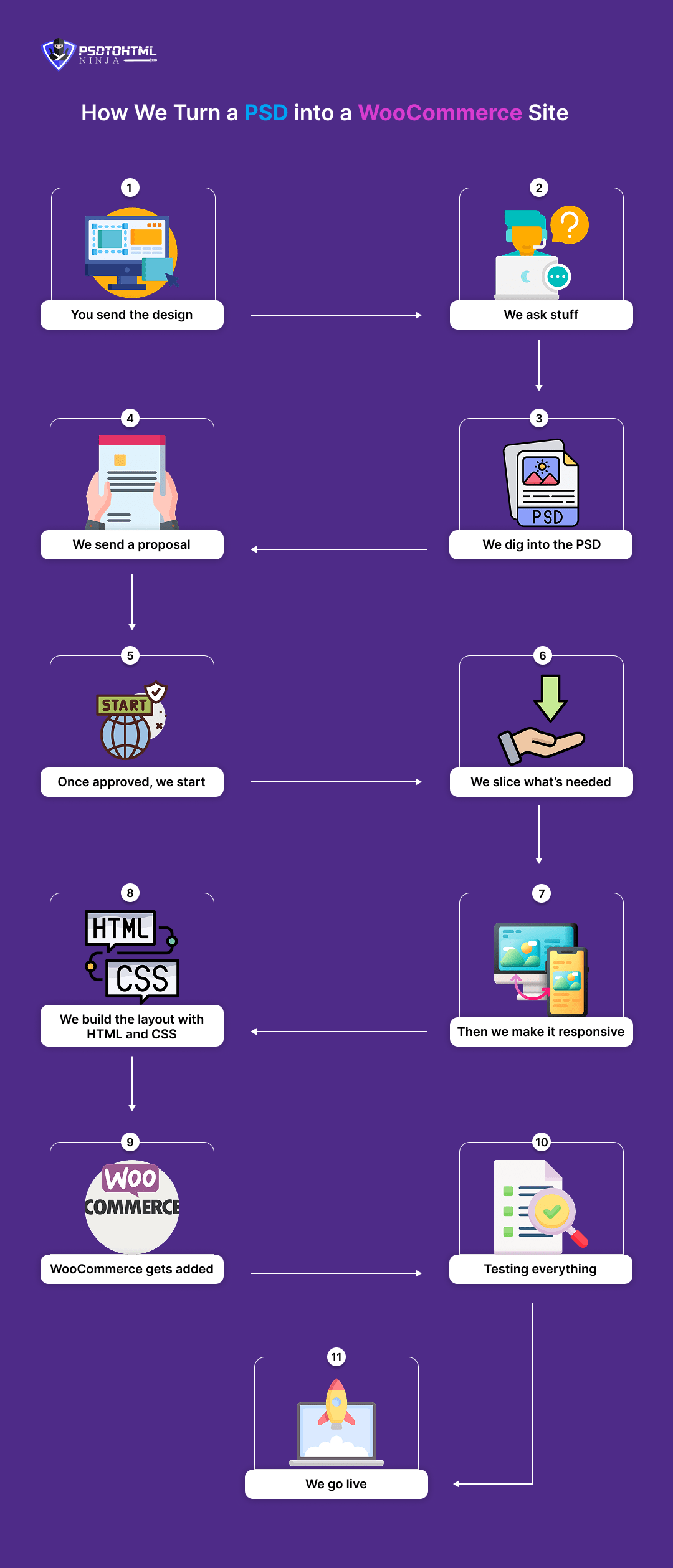
You’ve got a PSD design. It's clean. Maybe your designer handed it off or maybe you made it yourself. Now you want to turn that into a real online store people can actually use.
We’ve done this enough times to know — it’s not magic. But there’s a flow to it. A way to go from static design to a working WooCommerce site without overcomplicating things.
This is how we do it.
Step 1. You send the design
First things first, we need the PSD. Some people send it with a note like “Let me know what else you need.” Others send a long email explaining every page. Doesn’t matter.
We download it, open it, and just look.
Sometimes we can start right away. Sometimes we’ll ask for missing bits — like fonts, hover states, maybe mobile views if they’re not in the file. If we’re unsure, we don’t guess. We ask.
Step 2. We ask stuff
After looking through it, we send over questions. No checklist. Just what’s needed.
Might be:
- Are product pages using filters?
- Should checkout be one-step or multi-step?
- Will you be managing content yourself or do we need to set that up?
We ask as much or as little as needed. Some clients are super clear from the start, some figure it out as we talk. Either is fine.
Step 3. We dig into the PSD
Once things are clear, we sit with the design.
We check how many pages it really has. Sometimes what looks like one homepage is actually two or three versions depending on screen size. We look at text sizes, padding, sections, things like "Is this reusable?" or "Does this need animation?"
We also flag anything that might not work well on the web. Photoshop is flexible. Browsers are not. So if something’s going to be heavy or won’t scale, we’ll bring it up.
Step 4. We send a proposal
After we know what’s involved, we’ll send a quote. It’ll include cost, time, what we’ll handle, and what we expect from you.
It’s not a 20-page doc. Just what you need to know to decide.
You review, maybe ask a few things, then give us the go-ahead. No pressure. We don’t chase or upsell.
Step 5. Once approved, we start
After the green light, we set up our workspace and begin.
We don’t dive into code immediately. First, we get everything organized. Folders for images, notes from our side, and a plan for how we’ll build things out. Think of it like clearing a table before starting a puzzle.
Step 6. We slice what’s needed
Not everything in a PSD should become an image. We only slice what we need — icons, logos, sometimes backgrounds.
If it’s better done with code (like text, simple shapes, buttons), we do that instead. It keeps the site faster and easier to manage later. Some parts might need custom graphics, and we’ll export those carefully to keep quality sharp.
Step 7. We build the layout with HTML and CSS
Now we start coding.
We rebuild your layout in HTML and CSS, section by section. Header, hero, product grid, footer — all of it. The goal is to make it look like your PSD without relying on hacks or bloated code.
We double-check fonts, spacing, colors. If something looks slightly off from the design, we adjust until it feels right.
Step 8. Then we make it responsive
Once the layout’s done, we test it on different screen sizes. Desktop, tablet, phone.
We don’t just shrink stuff. We think about how people scroll, tap, and read on small screens. Some sections need to stack differently. Some text might need to reflow.
We tweak until it works cleanly everywhere. Real phones, real tablets. Not just browser simulators.
Step 9. WooCommerce gets added
Now that the design works, we hook it into WordPress and add WooCommerce.
We set up products, categories, shop pages, cart, checkout — the full store flow. We style each template to match your design so everything feels seamless.
If there are extras — like wishlists, filters, reviews — we integrate those too.
Step 10. Testing everything
Before we show it to you, we test.
We run through adding to cart, checking out, using discount codes, everything a shopper would do. We also check links, forms, responsiveness again, and how it performs speed-wise.
If something breaks or feels slow, we fix it before it ever hits your screen.
Step 11. We go live
When everything looks good and works, we move it to your live server.
We make sure the domain is connected, SSL is working, and nothing breaks during migration. Sometimes we help with hosting, sometimes the client handles that. Either way, we don’t leave you guessing.
Once it’s live, we give a quick walkthrough. How to add products, update content, manage orders — the stuff you’ll be doing regularly.
Know more: Convert Adobe XD Design to WordPress Website
Hire WooCommerce Development Services
That’s all for our guide on converting PSD into WooCommerce. Looking to bring your custom PSD designs to life? Hire PSDtoHTMLNinja for expert WooCommerce development services tailored to your business needs.
Send us your PSD file and our team will transform it into a fully functional, responsive, and high-performing WooCommerce store — no generic templates, just clean hand-coded perfection.
Reach out to our team or email us directly at: sales@psdtohtmlninja.com
Conclusion and Next Steps
Converting a PSD design to a WooCommerce store may seem challenging, but by breaking it into manageable steps, it becomes an achievable project. You started with a static visual design and ended up with a dynamic, custom WooCommerce theme that reflects your brand and engages your customers. Not only do you now have a unique storefront, but you also enjoy the benefits of WordPress’s ease of use and WooCommerce’s powerful e-commerce capabilities.
As a business owner, this process gives you a tailored online store without sacrificing the flexibility to update content or expand features. Going forward, you can enrich your site with marketing tools (like email opt-ins, analytics, or SEO plugins), optimize for search engines and conversions, and scale your WooCommerce store as your customer base grows.
If you still feel stuck or decide you’d rather focus on running your business, remember that there are professionals who specialize in PSD to WooCommerce conversions ready to help. Feel free to reach out to us!

Prince Jadiya holds the position of Chief Marketing Officer at Psdtohtmlninja.com, where he assists organizations in overcoming web development obstacles. He is also known for him informative and engaging blog posts.
Couldn't find what you were looking for?
Let us know how we can help!
Related Blog Posts