Table of Content
Having a PrestaShop is good until it becomes complicated to manage. As your business grows, your online store needs to be scaled with it. At this point, PrestaShop's functionality seems limited and heavy, which impacts your store's performance.
These roadblocks are avoided by transferring from PrestaShop to WooCommerce. Using the migration method, all your data, orders, customer details, and product listings are smoothly transferred to a new, better platform.
It is like establishing a flexible and advanced store with all the required assets from your previous online store. All your data and SEO rankings are preserved with the right use of tools and resources.
We prepared this guide to give you a solid understanding of how to migrate PrestaShop to a WooCommerce store, the three popular methods of PrestaShop to WooCommerce migration, and all other essential aspects involved in this process.
PrestaShop vs WooCommerce: Why Consider Migrating?
“Why should I switch to WooCommerce anyway?” Asking this question is pretty normal when you are thinking of migrating an entire store to a new platform, which is a huge step. Here is a detailed comparison of PrestaShop and WooCommerce as eCommerce platforms.
Improved Performance
PrestaShop becomes difficult to work with, especially when the marketing tools take too much effort. The overall functionalities and upgrades become stagnant at one point.
WooCommerce, on the other hand, is easy to use and offers smooth performance because of the regular updates. All your orders and products are handled with speed and precision. When you migrate PrestaShop to WooCommerce, your store runs faster and does not lag with security patches.
Plugin and Theme Ecosystem
WooCommerce is built on WordPress, meaning it offers a wide pool of plugins, extensions, and themes. This leads to effortless integration of third-party tools like payment gateways, marketing, and CRM tools etc.
You also get to choose from a variety of themes and templates, which means your eCommerce store looks exactly the way you want it to, strengthening your brand identity.
Freedom to Customize
When you migrate to WooCommerce, you enjoy easy customization options. Unlike PrestShop, WooCommerce allows you to edit and modify themes to suit your requirements. This helps in creating an online store that visually aligns with how you picture it.
You can also use numerous page builders on WooCommerce to create appealing and interactive online stores without worrying about complex coding.
SEO Benefits
No matter how attractive your store is, it yields zero results without SEO optimization. WooCommerce wins in this segment with its extensive SEO capabilities that optimize your store’s URLs, metadata, and overall website content.
PrestaShop, on the other hand, offers limited SEO features, and most of these are usually paid.
Community Support
Compared to PrestaShop, WooCommerce is used by the majority of developers and eCommerce store development companies. This means you get quick solutions from the vast community.
Whether you are stuck somewhere or need help with an update, the online community involves highly trained professionals who help with troubleshooting.
Read this: How Much Does It Cost to Migrate a Website?
Pre-Migration Checklist for a Smooth PrestaShop to WooCommerce Migration
You should tick all the boxes on the pre-migration checklist before diving straight into the PrestaShop to WooCommerce migration process. The chances of data loss are very high when you transfer your ecommerce platform.
Following this checklist will save you cost and time that you would otherwise spend recovering the lost data:

1. Create a Secure Backup
Back up your existing PrestaShop store from the database and save an extra copy as well. Make sure all the customer data, order history, order summary, product details, etc., are properly backed up. This helps in keeping the necessary information safe in case anything is lost during migration.
2. Finalize the Hosting Provider
Choose a hosting provider that deliver speed, efficiency, and top-rated security measures. The performance and safety of your online store will largely depend on the hosting platform.
Compare the features, offerings, and prices of multiple hosting providers before making the final decision.
3. Set up the WooCommerce Theme
Now it is time to select a suitable WooCommerce theme that clearly portrays your brand. Make sure the theme you choose is smooth, responsive, and allows users to easily navigate.
A good theme makes your store look polished and loads quickly on different screen sizes and devices, including mobile phones. Select a theme that loads all WooCommerce features properly on the screen.
4. WordPress Dashboard Configuration
This step includes logging into your WordPress dashboard. Once all the selections are made, you should start configuring the WordPress dashboard. Install additional tools and other resources required to begin the migration process.

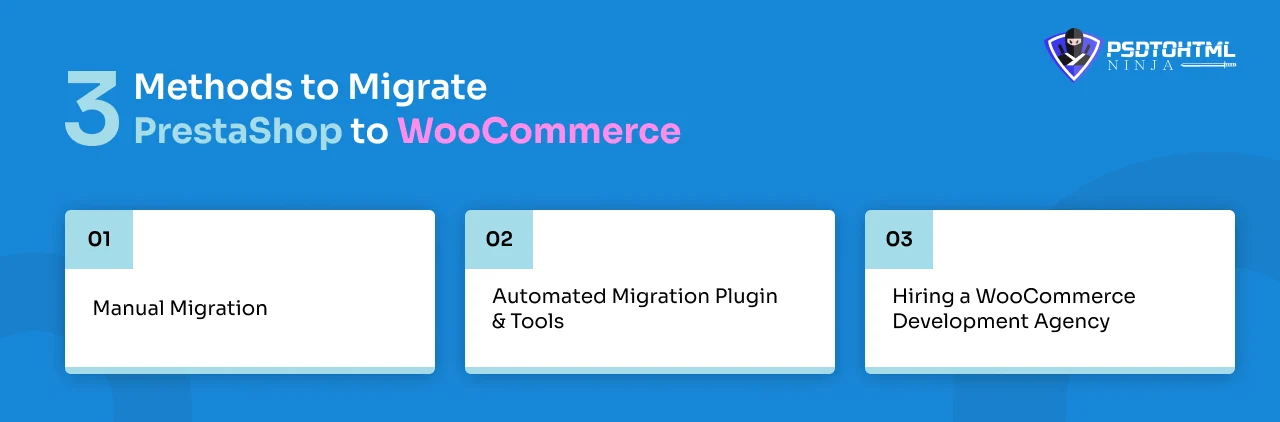
3 Methods to Migrate PrestaShop to WooCommerce
There are three primary methods for migrating from PrestaShop to WooCommerce, depending on your budget, technical knowledge, and quality expectations. We will discuss these methods in this section so you can better decide which one is the best for you:
#1. Manual Migration
This method involves manually migrating all the data from the PrestaShop database to the WooCommerce dashboard. The process is time-consuming and complicated as you have to download order details, customer information, and other necessary information from PrestaShop, then manually upload it to WooCommerce.
While it offers complete control and flexibility, the method requires you to work on complex code for adding certain additional and external features.
#2. Automated Migration Plugin & Tools
Using automated migration tools or plugins is the easiest and quickest way to shift from PrestaShop to WooCommerce. All you need to do is install and integrate the plugin, and most of the migration work will be automatically done.
Plugins simplify the migration process for you as the complete transfer is done in a few clicks. However, plugins can sometimes cause errors and data loss, so you have to be careful.
#3. Hiring a WooCommerce Development Agency
If you are handling large eCommerce stores, then hiring a professional WooCommerce development company is the best option. These agencies have dedicated WooCommerce developers who handle the migration process to ensure the security and speed of your online store.
- WooCommerce migration companies offer post-maintenance support for 100% safe data transfer and store setup.
- They follow SEO principles for high online traffic.
- You get performance enhancement and speed optimization as part of the migration package.
- The migration project is managed by a team of trained and certified professionals.
- You receive timely updates on the project status.
Step-by-Step Process for PrestaShop to WooCommerce Migration
Now comes the important part: follow these steps to migrate your PrestaShop site to WooCommerce:
Step 1. Export Data From PrestShop Dashboard
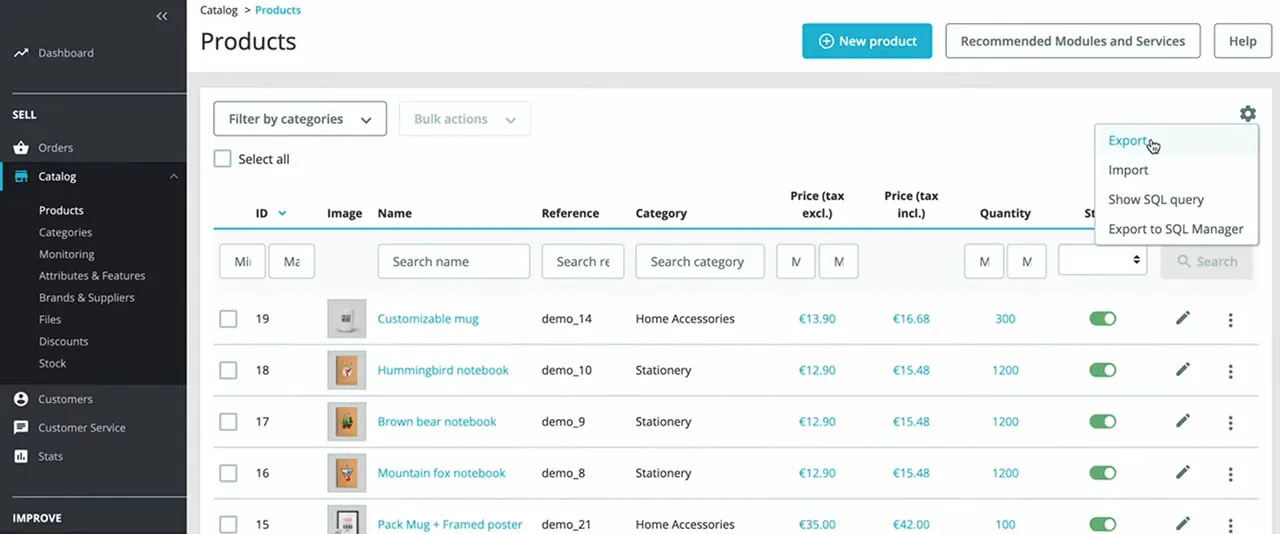
Export the following vital information from PrestaShop, which includes:
- Product details, descriptions, images, etc.
- Order summary, history, and status.
- Customer details, customer groups, passwords, etc.
- Forms, blogs, and graphics.
Step 2. Import to WooCommerce
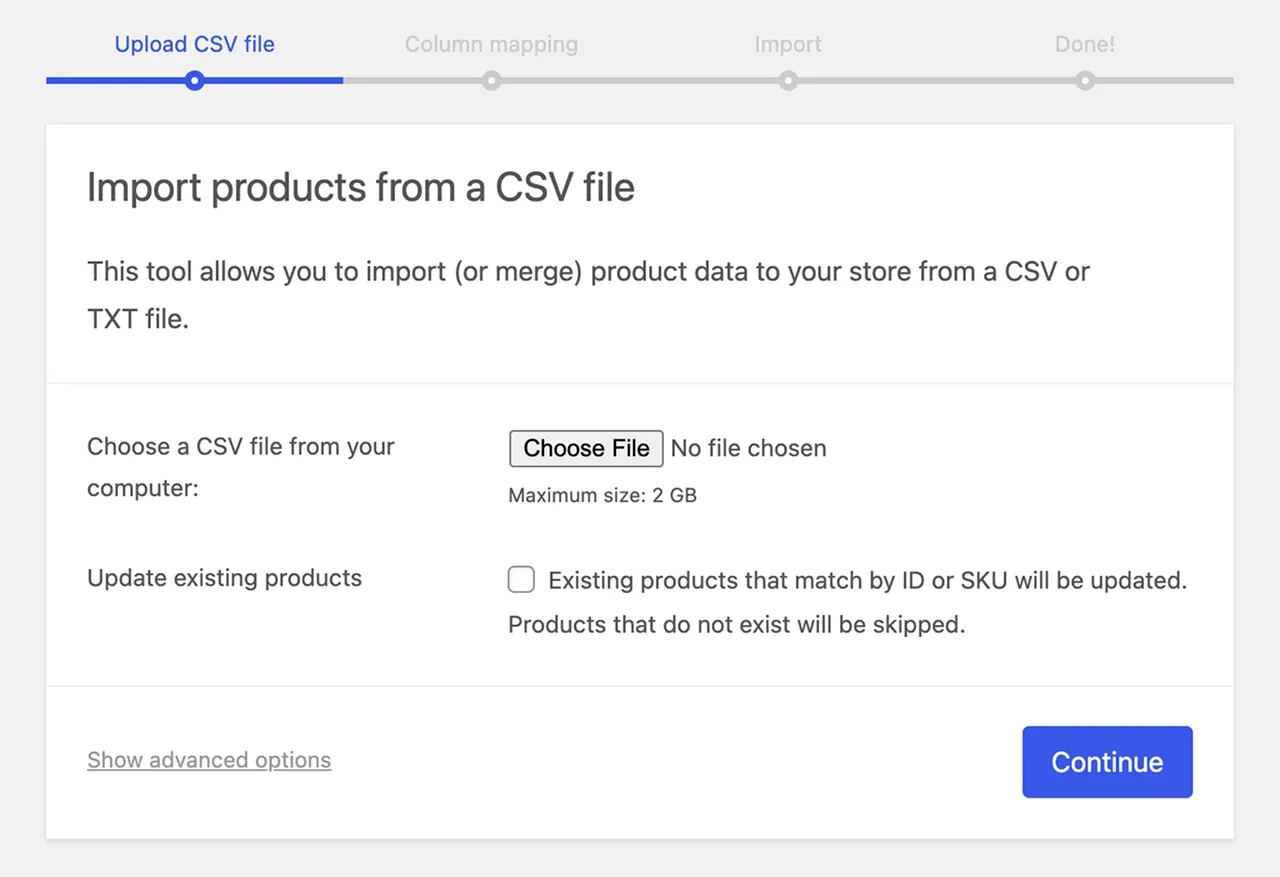
In this step, all the data exported from PrestaShop is imported to WooCommerce. You can do this by any of the three methods mentioned in the earlier section. Follow the rules below for error-free import:
- Carefully map the products and product categories.
- Save order details and IDs.
- Sync all the customer data to WooCommerce
Step 3. SEO URL Preservation and Mapping
Map all the URLs of your new WooCommerce site to ensure they follow the correct structure. Fix the URL that appears broken or old. This step not only ensures that your audience reaches the correct website, it also helps in avoiding error 404 and maintaining your SEO rankings.
Step 4. Configure Store Settings
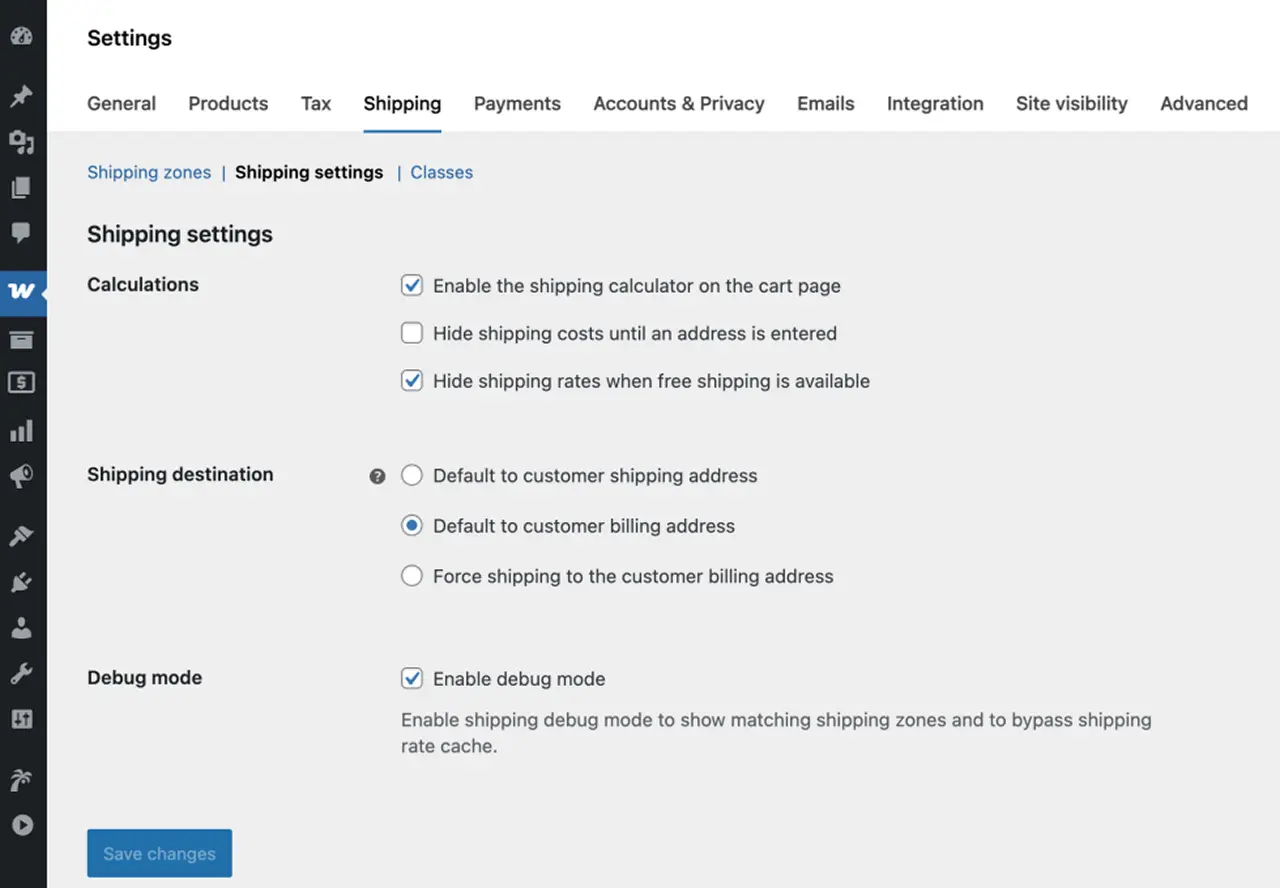
Open the WooCommerce admin panel from the dashboard, and check the following:
- Payment gateways
- Shipping zones and rates
- Tax principles
- Install plugins for marketing, analytics, or added functionality if needed
Step 4. Testing Migration issues & Troubleshooting
It is important to double-check everything by thoroughly mapping the WooCommerce website once migration is completed. Here is a checklist to keep in mind:
- The product, customer, and order details are updated.
- Payment gateways and other features are fully functional.
- All the pages of your online site load smoothly.
All the errors and issues detected at this step should be fixed as a priority. This is why hiring a WooCommerce development agency is a smart choice.
Read: Top WordPress Website Migration Agencies
Post-Migration Tasks After Moving from PrestaShop to WooCommerce
After successfully migrating to your new WooCommerce site, certain things need to be aligned before you launch the store for your audience. Some of the parameters include PrestaShop to WooCommerce SEO checklist, performance checks, analytics tracking, etc.
The post-migration tasks mentioned in this section ensure the new website runs smoothly, loads quickly, and users face zero restrictions while browsing the products.
1. Speed and Performance Optimization
Most of the online users wait for about 2 seconds for the website to load. Another second of delay and your user bounce rate increases. 39% users leave a website where the images load slowly.
This is why assessing your WooCommerce store’s loading speed after migration is extremely crucial. You should check the following parameters:
- All images and graphics load instantly.
- Website content is properly aligned.
- Forms are successfully submitted.
2. Mobile Version Accessibility
Your website should be optimized to function well on different devices, especially mobile phones. As per a report by Forbes, 74% users prefer a mobile-friendly website. Before launching, check your website’s performance on mobile phones and tablets of different screen sizes.
3. Analytics Tool Integration
Thoroughly test the marketing tools you have integrated to ensure no roadblocks occur when your team starts working on them. Gathering real-time data and user patterns is crucial for business success and to optimize and scale your WooCommerce store.
SEO Checklist for PrestaShop to WooCommerce Migration
Migrating your store isn’t just about moving products and orders; keeping your search rankings and organic traffic intact should be at the forefront of your plans.
A solid SEO strategy is key to ensuring that your WooCommerce store maintains its visibility on search engines post-migration. Here’s a thorough SEO checklist to guide you:
- Keep Your URL Structure Intact: Stick with the same URLs from your PrestaShop store to prevent any drops in rankings. If you need to change URLs, make sure to set up proper 301 redirects to help both search engines and users find the new pages.
- Implement 301 Redirects: Make sure to redirect old product, category, and CMS pages to their new WooCommerce URLs. This will help you keep your link equity and avoid those pesky ‘404 Not Found’ errors.
- Transfer Meta Data & Content: Double-check that meta titles, descriptions, alt tags, product descriptions, reviews, and schema markup are accurately transferred. Losing any of this metadata can negatively impact your SEO performance.
- Review Canonical Tags & Internal Linking: Update your internal links to prevent broken paths and ensure that canonical tags are in place to avoid any duplicate content issues.
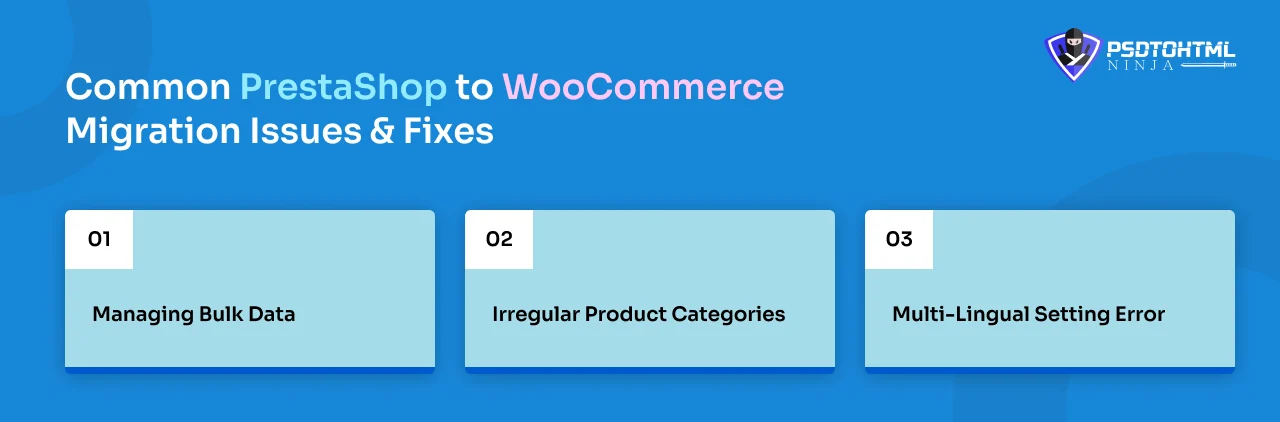
Common PrestaShop to WooCommerce Migration Issues & Fixes
Using the correct migration method and all reliable resources is sometimes not enough. Certain issues can suddenly arise, which can delay your migration and affect the user experience in case the store is launched.
But don’t worry, we have already prepared a list of the common challenges you might encounter:
1. Managing Bulk Data
This problem often occurs while migrating heavy and large-scale eCommerce stores with thousands of products and order details. Handling this extensive data is a huge challenge. You can counter this challenge in two ways:
- Install a plugin specially designed to handle large databases.
- Hire a trained WooCommerce migration company.
2. Irregular Product Categories
Sometimes, product categories and custom attributes from PrestaShop are not properly mapped in WooCommerce. This can be easily avoided by reviewing your migrated store and making changes whenever required.
3. Multi-Lingual Setting Error
eCommerce stores serving the international audience often use multiple languages. During migration, some PrestaShop multilingual settings fail to transfer. You can use multilingual plugins to ensure all translations are maintained.
How an Expert WooCommerce Development Agency Can Help
Managing the migration process of an online store is cumbersome. It becomes even more challenging when you have to migrate the site while simultaneously managing the business.
This is where you can leverage a website migration service. A reliable migration agency will design your store so it delivers long-term growth. The agency you choose not only focuses on the migration process but also ensures it is super smooth and functional for your customers.
Their migration experts can set APIs and integrate multiple payment gateways without lagging the store. The team also customizes the store to suit your preferences, so your brand identity is maintained.
A trusted WordPress web development agency can take care of everything—from API integrations and custom plugin development to long-term maintenance—making your migration smooth while giving you reliable support even after the store goes live.
When you trust a WooCommerce migration partner, you sign up for a high-end, interactive, and fast online store.
Also Read: WooCommerce vs Shopify vs Magento: Which Is Best for Your Online Store?
Conclusion
Migrating from PrestaShop to WooCommerce is a smart move if you want more control, flexibility, and freedom to grow your online store.
While the migration process is complex, partnering with an experienced WooCommerce agency ensures:
- Seamless data transfer
- Safe and accurate migration
- Strong SEO preservation
- A fast, modern store aligned with your brand
If you want a reliable team to handle your PrestaShop to WooCommerce migration smoothly, PSDtoHTMLNinja is here to help.

Faqs
Is WooCommerce better than PrestaShop for a growing business?
Yes, WooCommerce allows easy customization, gives you more liberty, and complete ownership of the store. WooCommerce stores get regularly updated, leading to a faster loading speed and an impressive user experience.
How much does it cost to migrate from PrestaShop to WooCommerce?
The price varies, but you can get a price quote from your agency by sharing the project requirements and website size. The price further increases with customization needs and additional features.
How to automatically migrate products to WooCommerce?
The quickest method is by using data import plugins that allow you to migrate images, product details, and other data in a few simple clicks. You can also consult a WooCommerce development company and let them handle the process, from import to final launch.
Can I migrate forms, orders, and customers from PrestaShop?
Yes, the PrestaShop to WooCommerce migration service includes transferring all the website data to your new online store.
How long does it take to migrate PrestaShop to WooCommerce?
The complete process can take from weeks to a few months based on your requirements and project size.

Jayveer Ker serves as the Business Development Manager at PSDtoHTMLNinja.com, specializing in assisting organizations with overcoming web development hurdles. His insightful and informative posts deliver practical solutions and valuable insights.
Couldn't find what you were looking for?
Let us know how we can help!